Coming from the HCI world, I have worked on usability and accessibility issues on multiple
occasions.
I have always considered that technology should bridge the gap between people.
It's even more true with people who have disability issues.
Scenario: Doing the groceries with an EDR
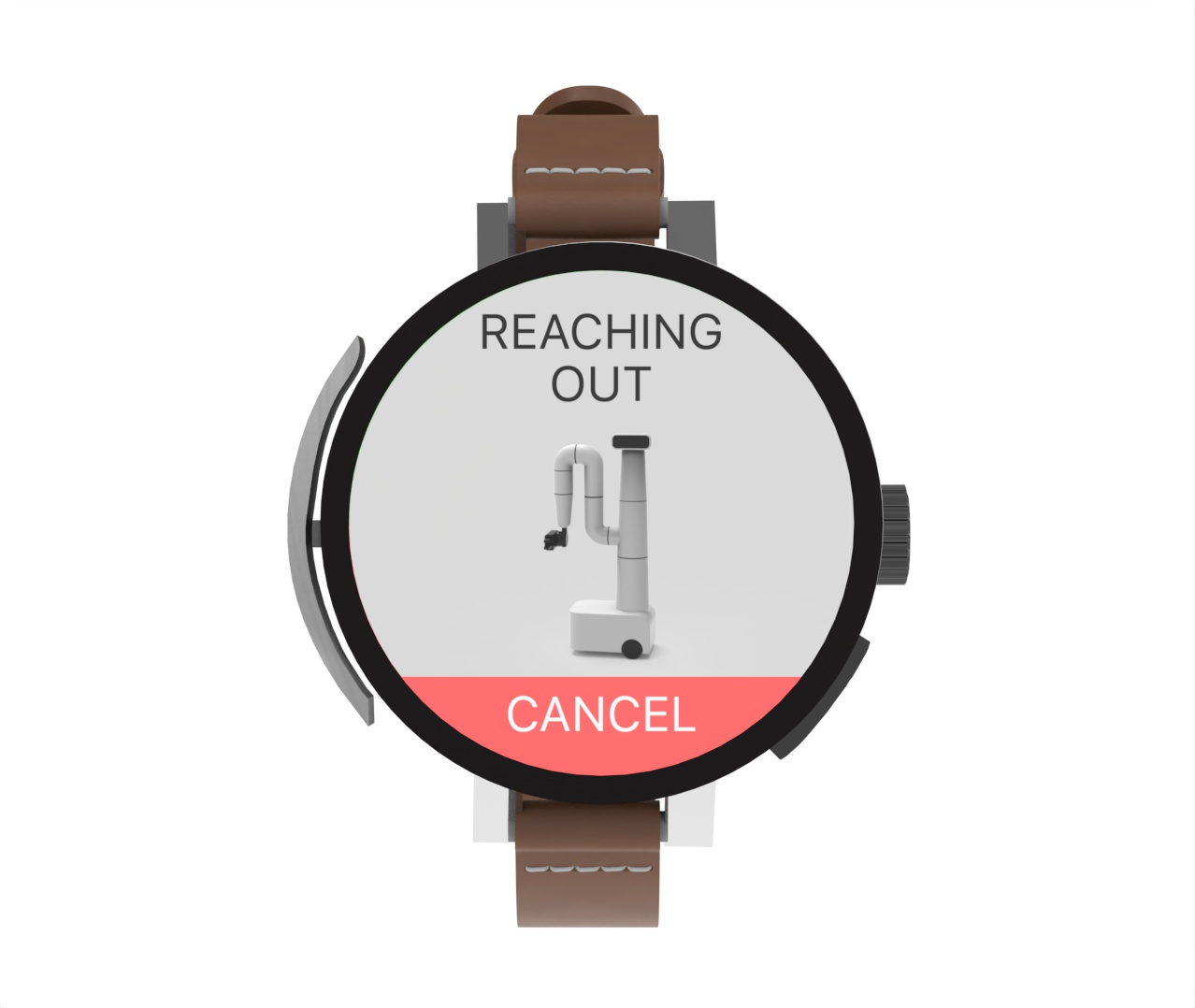
Watch: Input Device
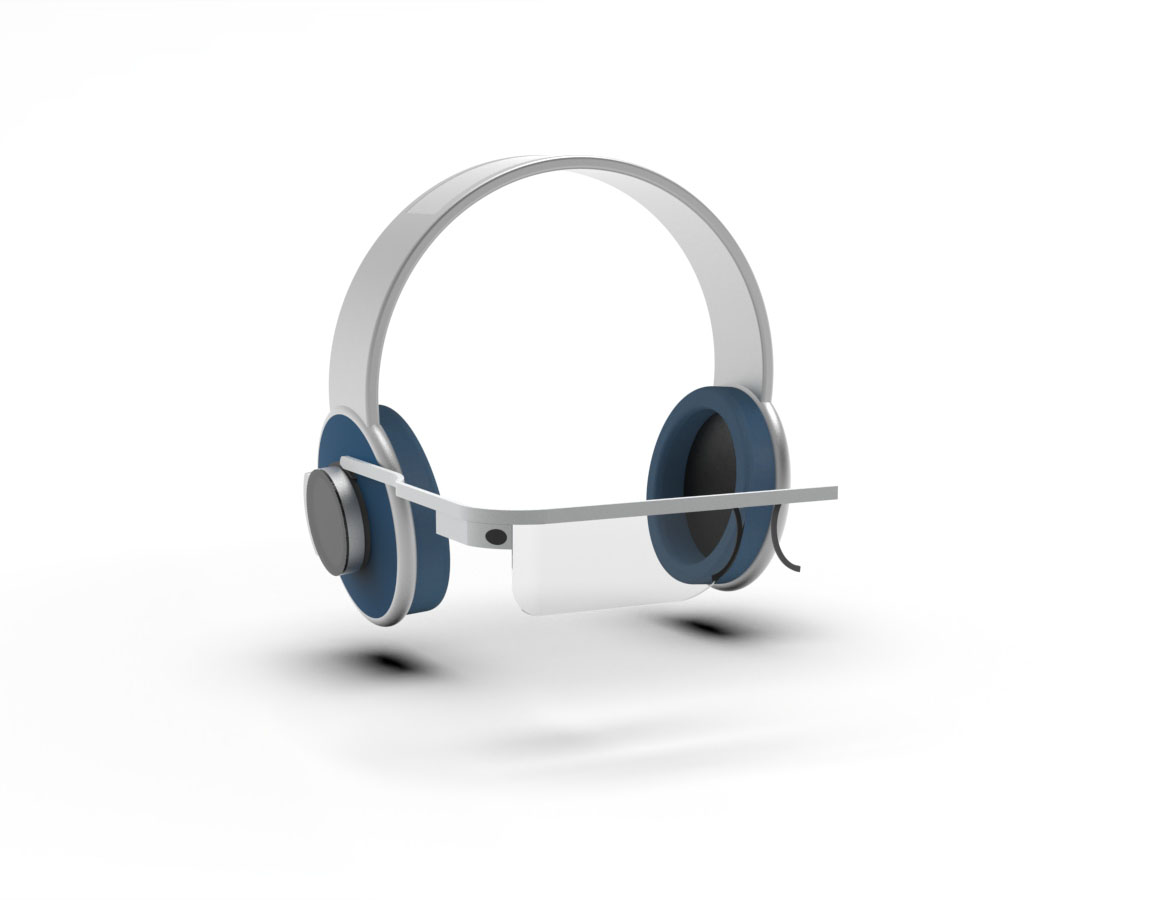
AR Headset: Video Communication
How it works
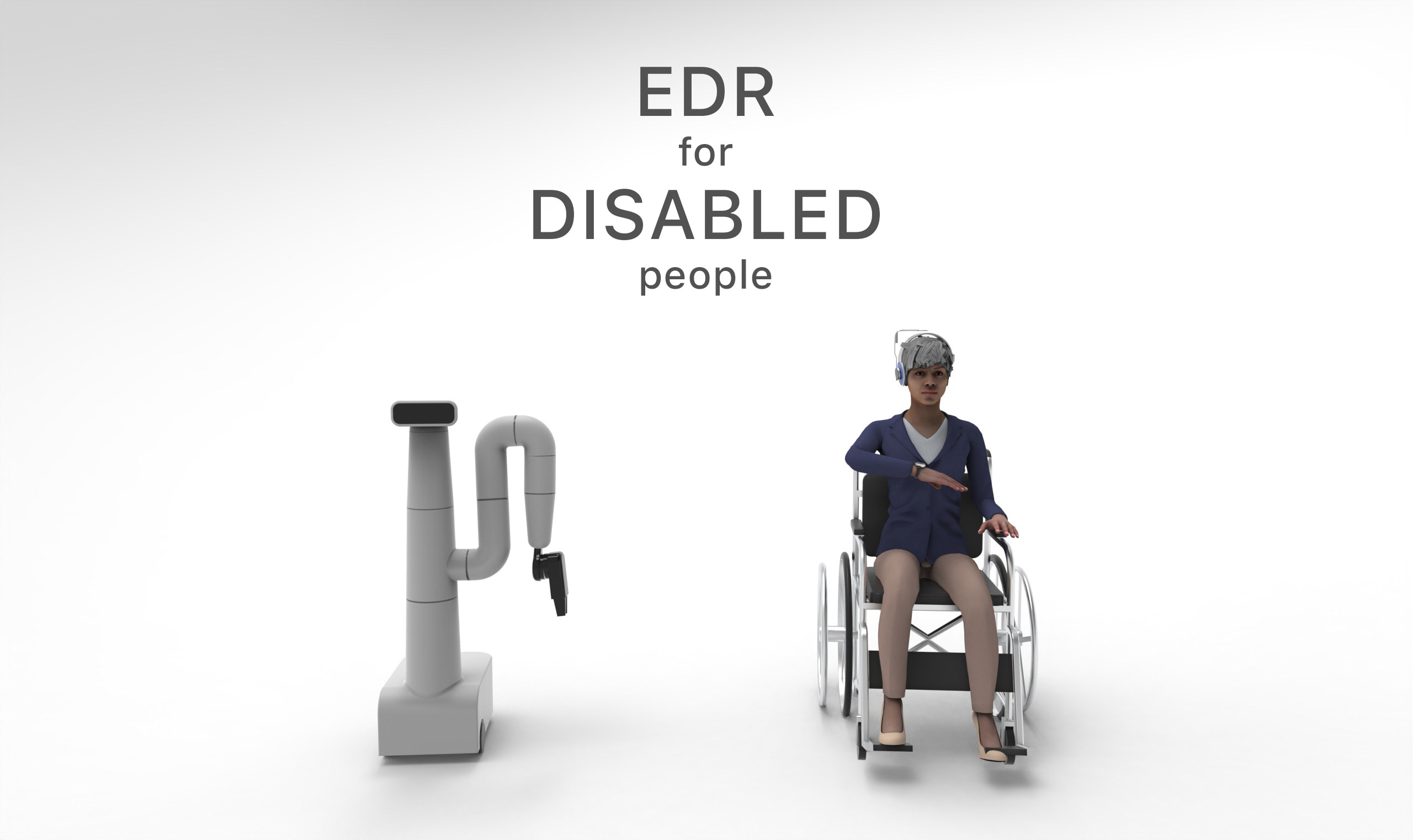
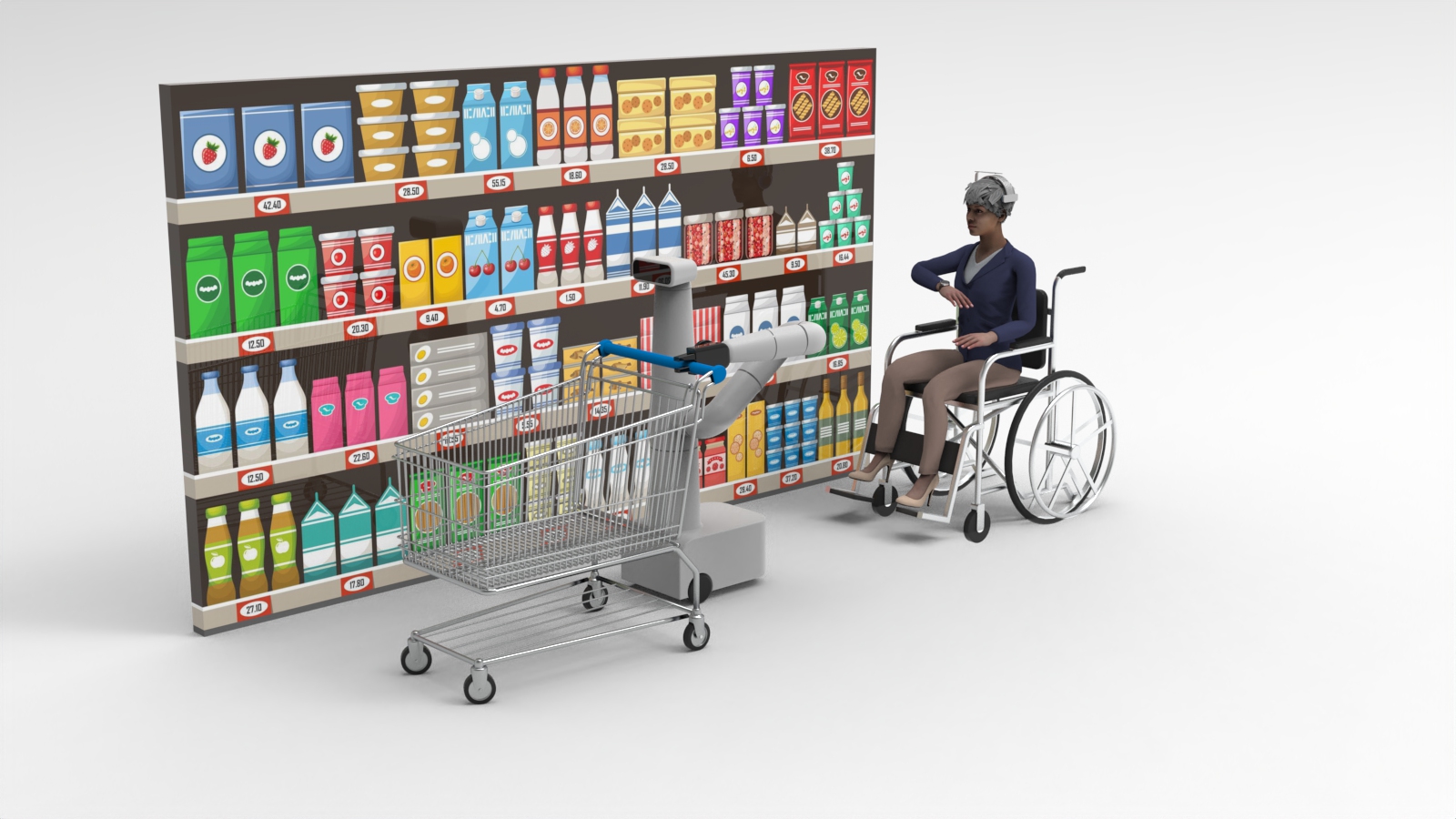
Using a mix of technologies, EDR can help disabled people in their daily life.
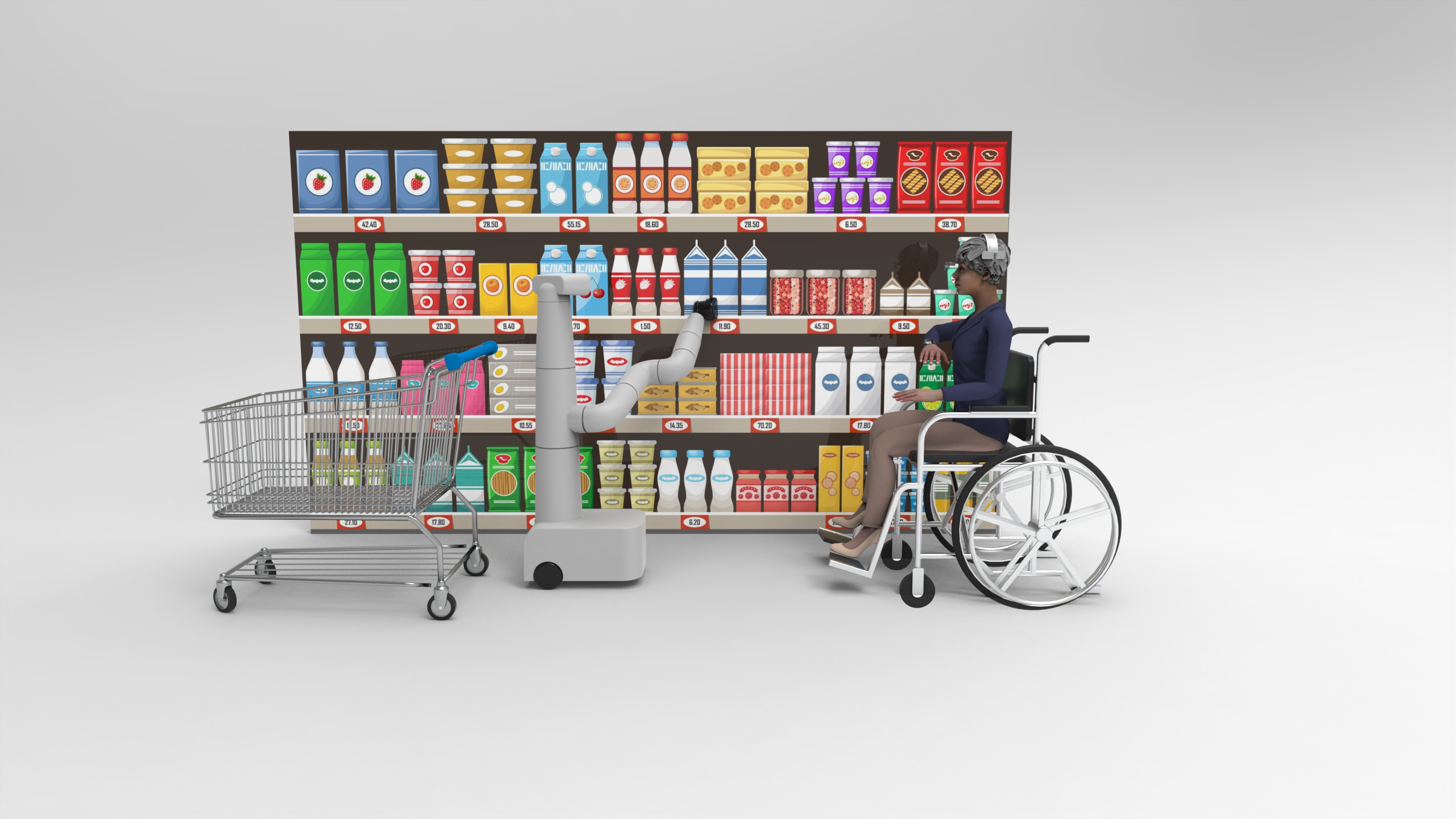
For example, this is a scenario where EDR can accompany someone during the groceries.
Stopping to see the products
The robot is going alongside you.
When you want to stop, just push a button on your watch.
Replay
Put AR glasses on
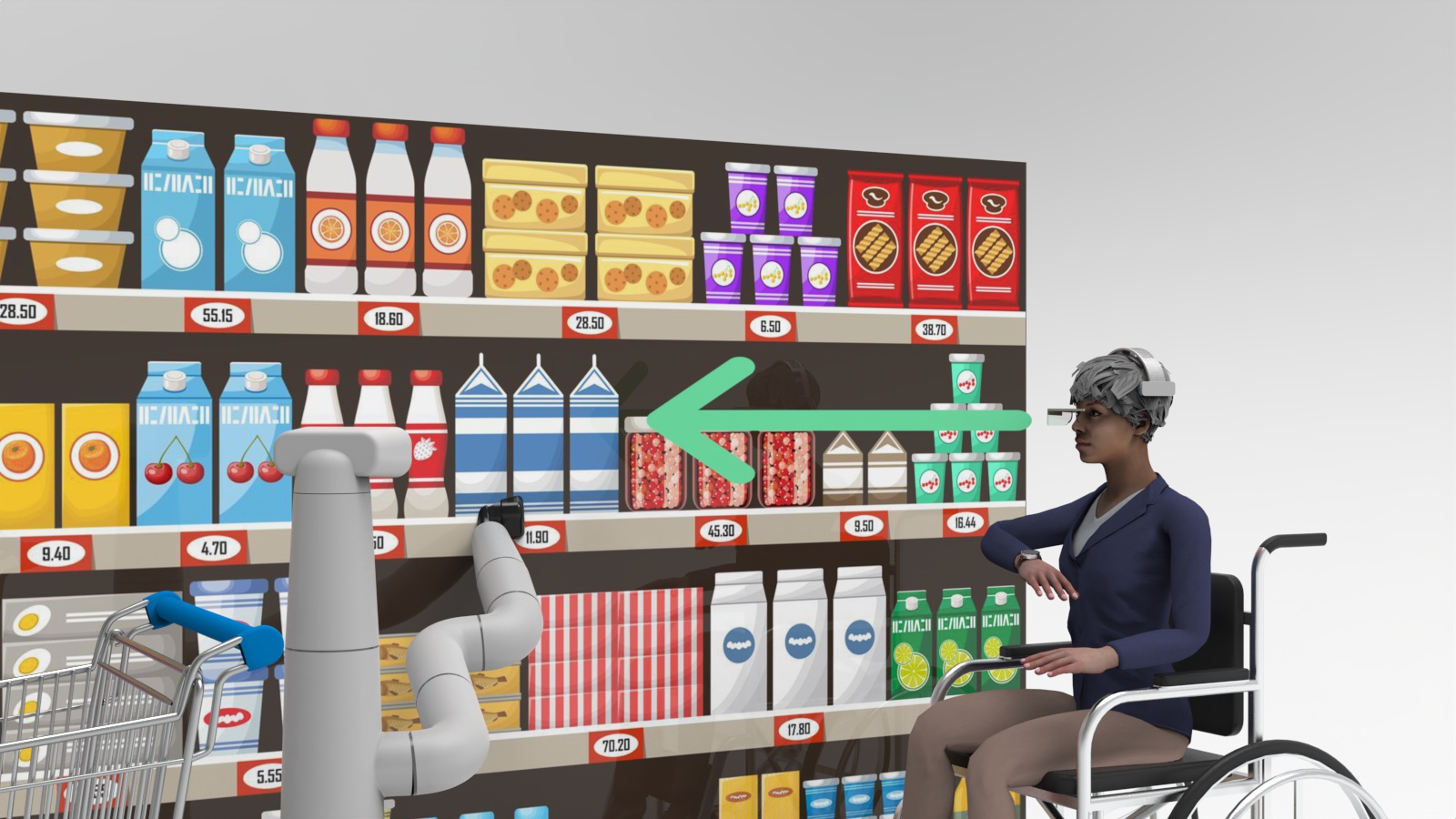
Once you want to communicate more in deep with your EDR, just slide your AR Glasses. It will
display the video feed from the robot directly to your glasses. You can also aim at where the
robot should be looking by moving your head around.
Replay
The robot knows what product you want because it knows where you are looking at.
For more precision, you can see the video feed from the robot directly through your
glasses. When you look on the left the robot will look on the left, when you look on the
right the robot will look on the right.
Replay
Click on the watch to pick the item
Use the watch to tell the robot to pick up the product you want.
Replay
After the robot had picked up the product, the robot shows it to the user so that he can see
it better. He can choose to keep or to puts it back.
Replay
If the user wants to keep the product, he uses the watch to tell the robot. The robot then
put the product in the cart.
Replay
What makes it a good interaction
I designed the interactions following some specific principles
like the ISO 9241-110 Dialogue principles and Kahn's HRI design patterns for socializing with robots.
ISO Dialogue Principles (9241-110):
1. Suitability for the task
Watch:
The UI on the watch only shows actions that are relevant to the current Context of
Use (shopping in this case).
AR:
Using the AR Headset is on demand. The user triggers this mode only when he wants to
point at something or see the video feed. This aims to be a Natural User Interface (NUI).
2. Self-descriptiveness
Watch:
The UI displays simple words, and only displays buttons that are relevant to the current
Context of Use.
AR:
The AR Headset is mostly an output device, so the user doesn't directly interact with the UI.
3. Conformity with user expectations
Watch:
Each time the user clicks on a button on the watch the robot performs an action. It's
like if you were actually with someone, it's back and forth. It's not like if
the user were giving orders to the robots. If the robot needs more information, it will
ask the user on the watch.
AR:
The user expects to enhance his capabilities, so he uses his AR Headset to see what he
can't see from his chair.
4. Learnability
Watch:
You can "play" with the watch UI to find out what you can do with it. Each action can be
easily canceled because once you triggered an action for the robot there is always a
cancel button on the UI of the watch.
AR:
The user can activate the AR headset, it won't break the user flow. If the user decides to
deactivate it, he can do so and it won't impact the flow of the interaction. Activating the
AR Headset doesn't activate a mode where the user would be restrained in his actions.
5. Controllability
Watch:
The watch has a rotating crown on the side that allows the user to quickly choose between
the two options on screen. An experienced user can navigate the UI faster.
AR:
To activate the AR Headset, the user just has to slide it. This is like sliding a
helmet visor.
6. Error tolerance
Watch:
Every time the user triggers an action to the robot, the watch display what the robot is
doing and a cancel button to put the robot back to its previous state.
AR:
The AR Headset is an output device, the user can't make errors using the UI.
Kahn's HRi design pattern for socializing with robots:
There are seven Kahn's design pattern. I picked up 3 that I consider relevant to this scenario context.
2. Didactic Communication
The pattern:
The easiest form of social communication involves the transmission of information from one
to another. Didactic Communication is a Design Pattern where one entity (either the robot
or the user) leads the dialogue. Like a teacher leading the lecture. The teacher talks and the
class students either act or ask/answer.
Why:
In this scenario, the user leads the task (shopping/groceries). He is the one that sends actions,
the robot either performs the action or asks for the information needed to perform it.
3. In motion together
The pattern:
Being in a social relationship with others can involve aligning one's physical movements
with others, such as often occurs when walking together.
Why:
In this scenario, the user moves around in a shop. The user leads the way (controlling the
direction of the robot with his watch). The robot either follows him or 'walks' in front of him.
The two are synchronized.
6. Reciprocal Turn-Taking in Game Context
The pattern:
Most social games involve taking turns with one another, such as many board games.
Reciprocal Turn-Taking in a Game Context is a design pattern for sociality that may easily
set into motion claims of unfairness.
Why:
I adapted this one to fit our context. In our Context of Use, I apply this pattern when
the user and the robot communicate. The user clicks on buttons on his watch (only 2 options
for a given screen), and if the robot requires more precision it can ask for more. The watch
will display the question and proposing the user (once again) 2 options. This back and forth, or
turn-taking (the user 'talks' then the robot and so on) creates consistent interaction.
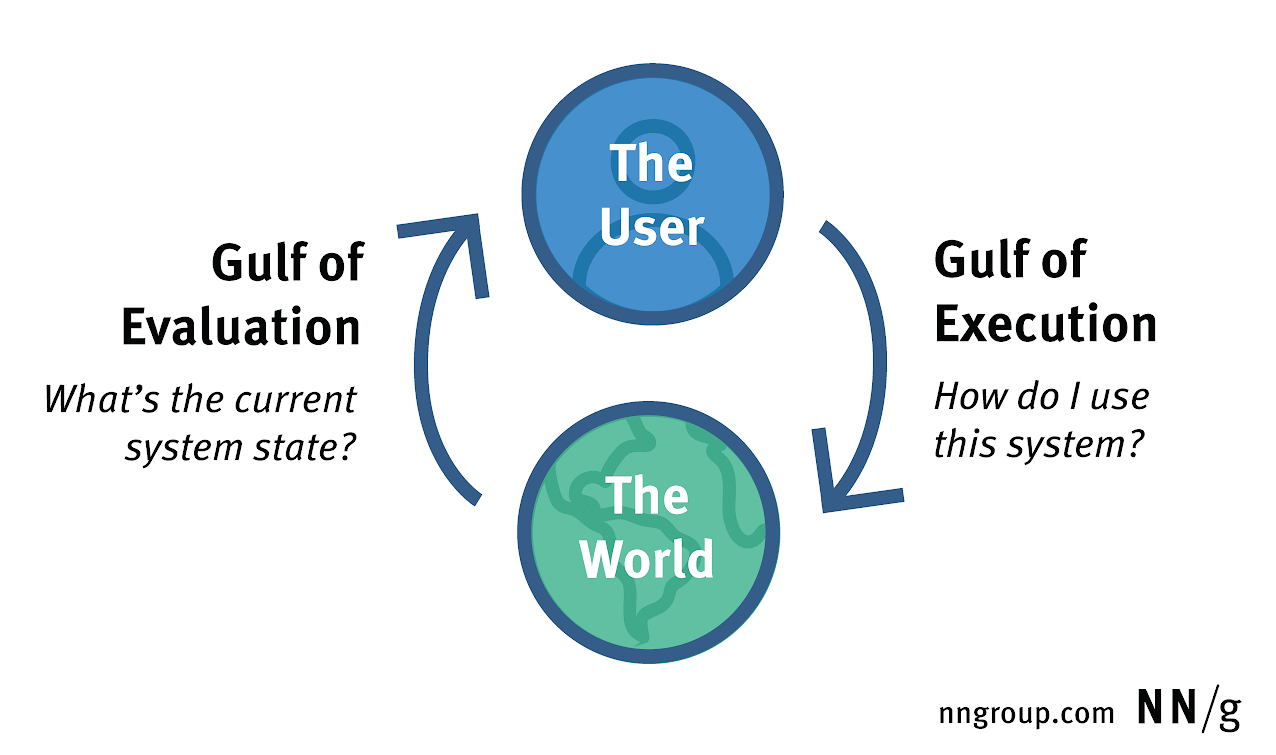
A key Principle of Interaction Design is the Gulf of Interaction.
The Gulf of Evaluation and the Gulf of Execution were invented in 1986 by Ed Hutchins, Jim Hollan,
and Don Norman.
The gulf of execution
is the difference between the intentions of the users and
what the system allows them to do or how well the system supports those actions (Norman 1988).
The gulf of evaluation
is the difficulty of assessing the state of the system and how well the
artifact supports the discovery and interpretation of that state (Norman 1991).
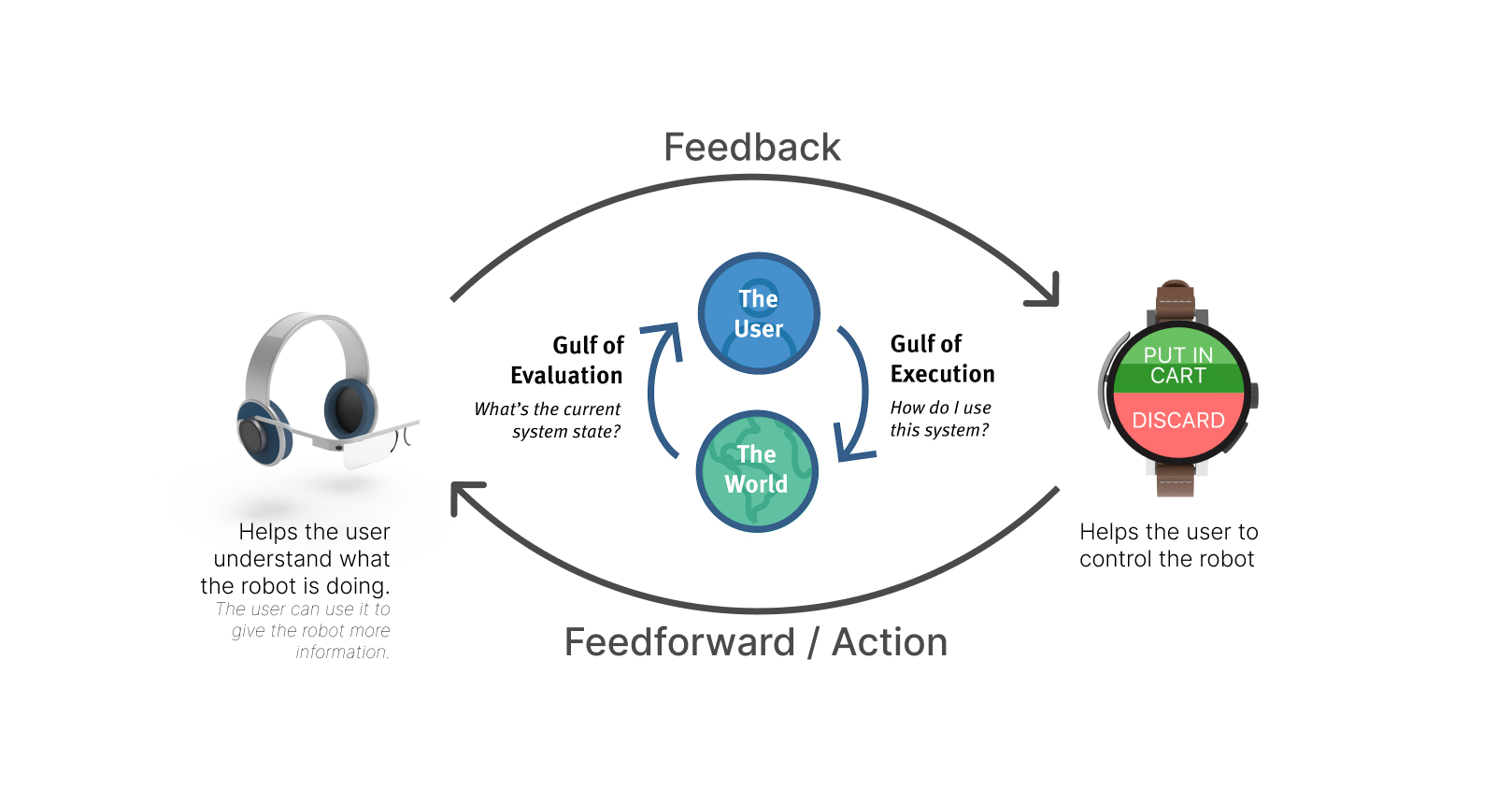
The Smart Watch and AR Headset used together help the user establish a mental model.
Mental models are the best way to reduce the impact of the two gulfs.
Usability Analysis
Discoverability, Signifiers and Affordance.
Good Discoverability and clear Signifiers lead to great Affordance.
Discoverability:
The watch lets the user know what he can do. It's not like vocal assistants where the user
has to guess what they can do.
Signifiers:
Clear labels on each buttons of the watch helps the user navigate and communicate with the robot
Affordance:
At any moment, the user knows what set of actions he can ask to robot to do.
Simplicity + Consistency + Feedback.
This helps to build an efficient and effective UI.
Simplicity:
Because the watch understand the context in which the user is, it can display relevant
actions to perform. The watch only displays 2 options.
Consistency:
When it comes to interacting with the robot, the watch always displays only 2 choices.
Feedback:
Everytime an action is being performed by the robot, the watch is displaying it on the screen
with the possibility to cancel this action.
Hi, I'm Anthony
I'm a Full Stack Designer coming from an engineering background. I have an
engineering degree in Computer Science and Human Computer Interaction. I like to create products. I have
experience in Software Development, Interaction Design and UX Design. I acquired skills in
Industrial Design (Sketching, 3D Modeling and Rendering) to better share my ideas.